

Cues
Keep the whole cue list in view
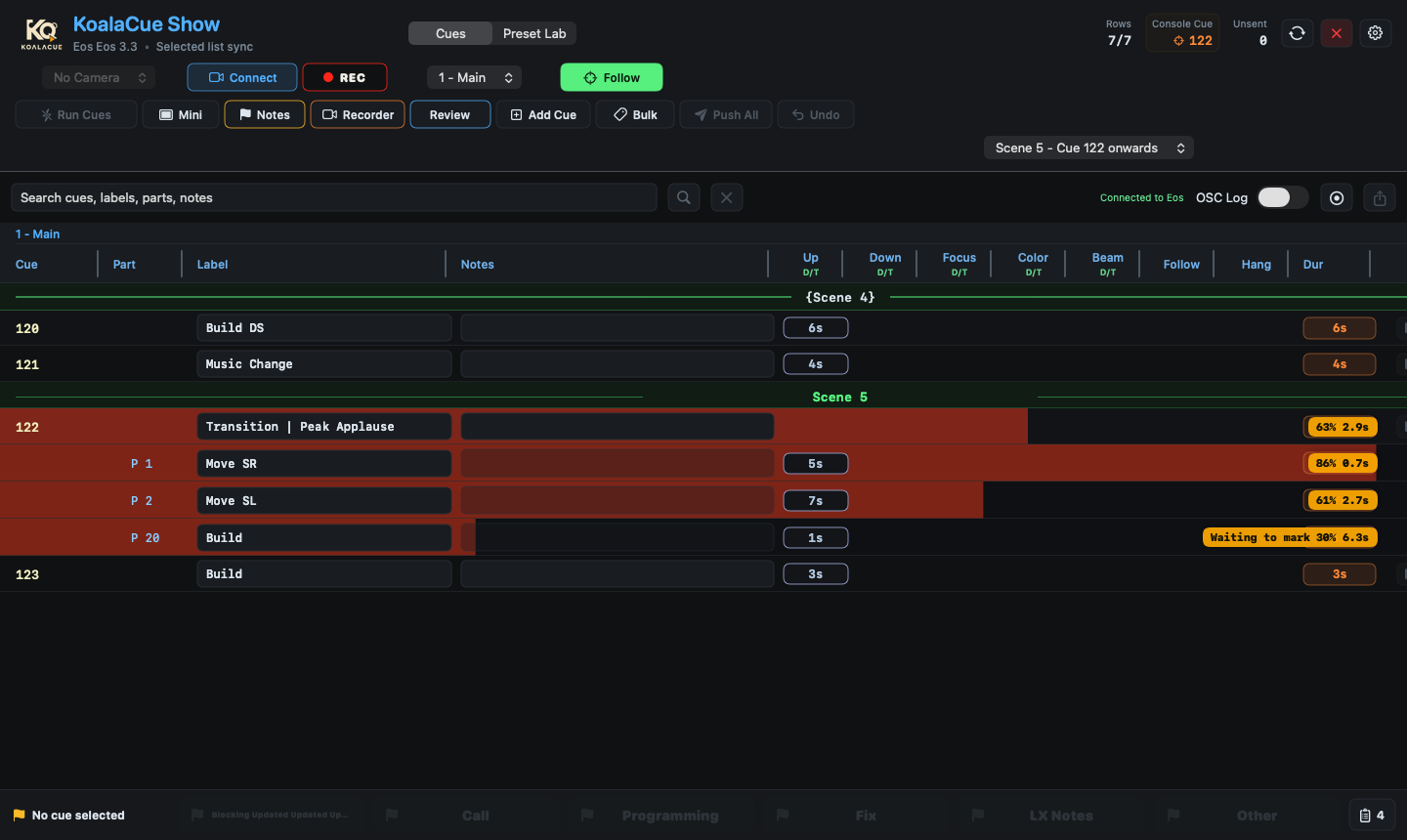
Quickly edit labels and notes, add scenes and blank cues, and change cue times in one clear workspace. Keep parts, progress and timing visible together, with quick access to Recorder and Review.

KoalaCue sits alongside your Eos console on a Mac. Follow live cues, record and review rehearsals with camera, audio and cue changes in sync, and keep your cues, presets and rig documented visually — all sharing the same show state.
Requires an Apple silicon Mac running macOS 26 or later. KoalaCue 1.0 is signed and notarised by Apple.
KoalaCue complements ETC Eos — it does not replace your console.
The product
Cues, Notes, Recorder, Review and Preset Lab share the same Eos, camera and show state, so what you see in rehearsal matches what you document and stays aligned with the live console state.
Follow live Eos cues with a clear, readable cue list. Add and edit labels, notes and timing with guarded workflows, jot quick notes, and keep an eye on the show from Mini Player. Cue firing stays behind a deliberate Run Cues unlock you can turn off immediately — KoalaCue remains a companion, not a console replacement.
Capture a shared camera, selected audio, cue changes, cue lights, automation data, disguise data, notes, markers and timecode overlays in a single rehearsal record.
Scrub rehearsal sessions with cues and notes aligned to video and audio. Share Review Stream with programme audio, use ghosting to compare the recording with the live camera, and control playback remotely.
A first-class notes workflow. Capture a note against the current cue in a keystroke, tag it so it can be found later, and keep the cue and timestamp context attached. Notes sit alongside cue labels and timing in the same guarded workflows, appear in Recorder sessions and Review playback, and stay within reach on the iPhone and iPad Companion.
Visual documentation for cues, channels, presets, scenes, rig, palettes, gobos and media. Portable .koala show packages and GDTF import. Create or refresh a Preset Lab show directly from Eos over the network, without moving a CSV by USB. Tech Time adds current-cue photos and unfocused-first grouping, with an optional Console Stream grid and Fast Focus selection in Full.
Workflows
Cues
Quickly edit labels and notes, add scenes and blank cues, and change cue times in one clear workspace. Keep parts, progress and timing visible together, with quick access to Recorder and Review.
Focus Time
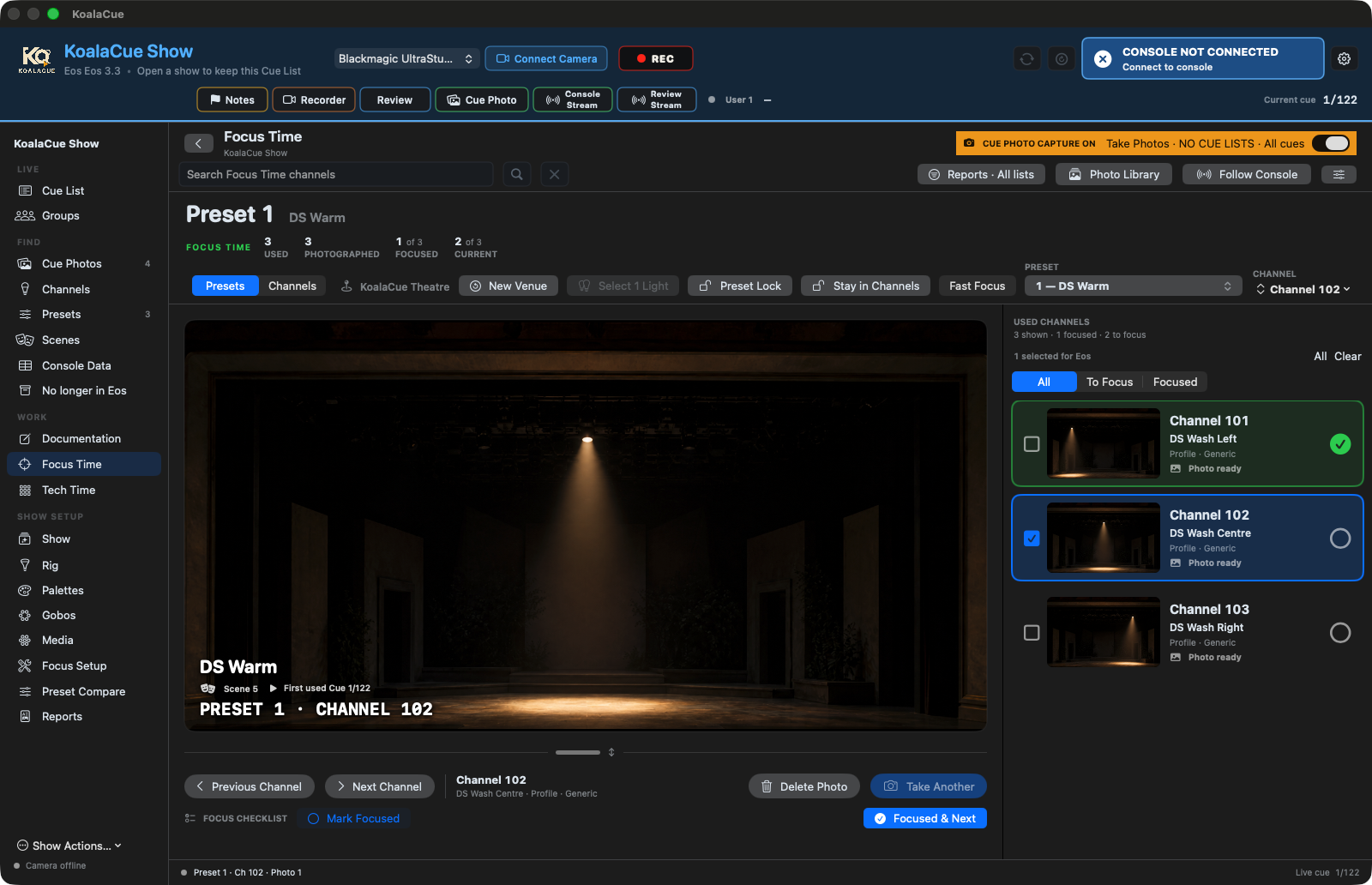
Bring up a light’s saved photo, check its position and mark it focused when it’s ready. Move straight to the next light, see what still needs attention and keep a separate checklist for each venue. With Fast Focus, selecting a channel on Eos brings up its reference photo.
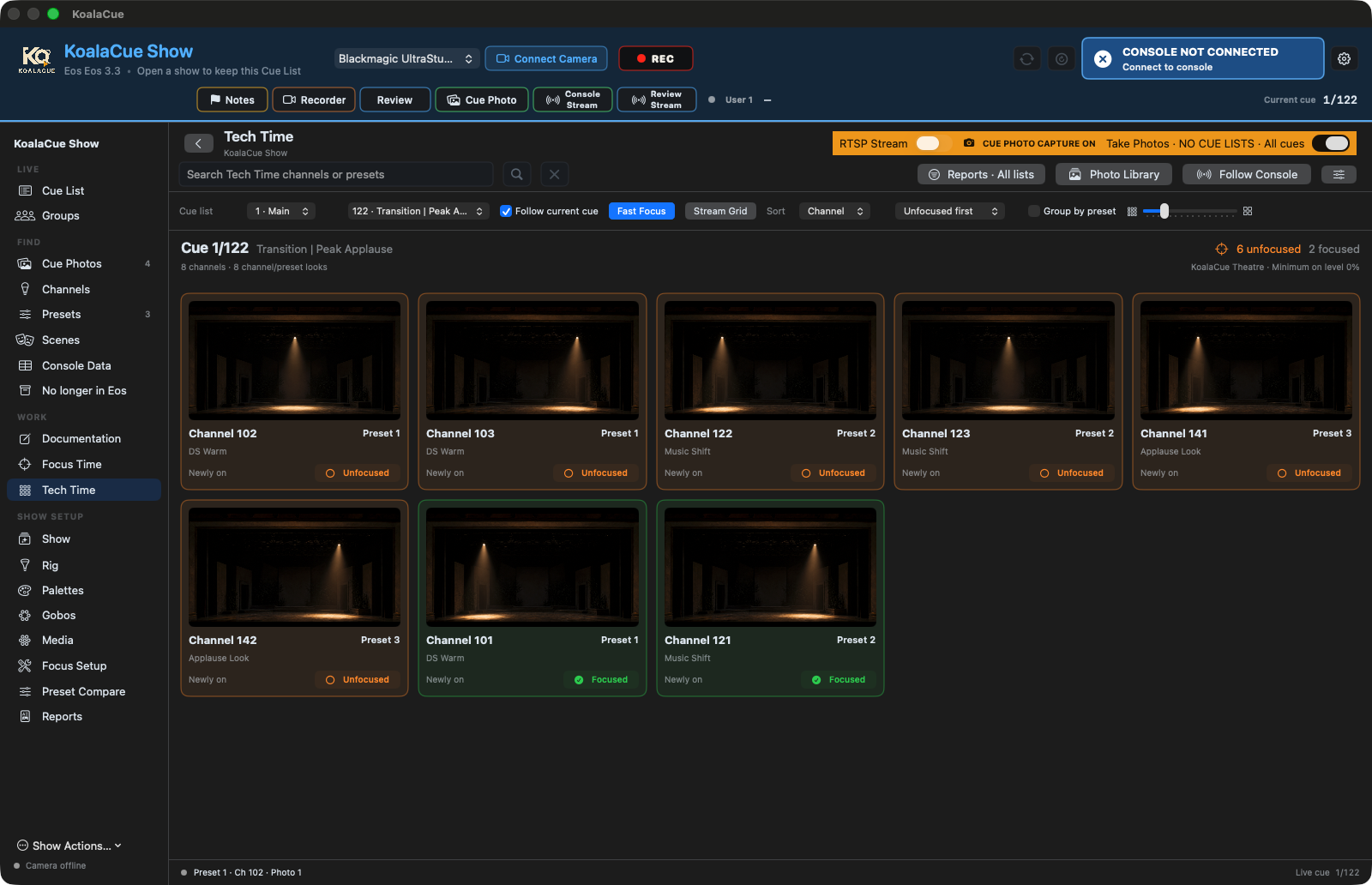
Tech Time
As you step through cues, see the lights that have just come on, their reference photos and which still need focusing. Put unfinished lights first or group them by preset. With a Full licence, share the grid on your console screen: select a channel to see its photo, then clear the selection to return to the grid.
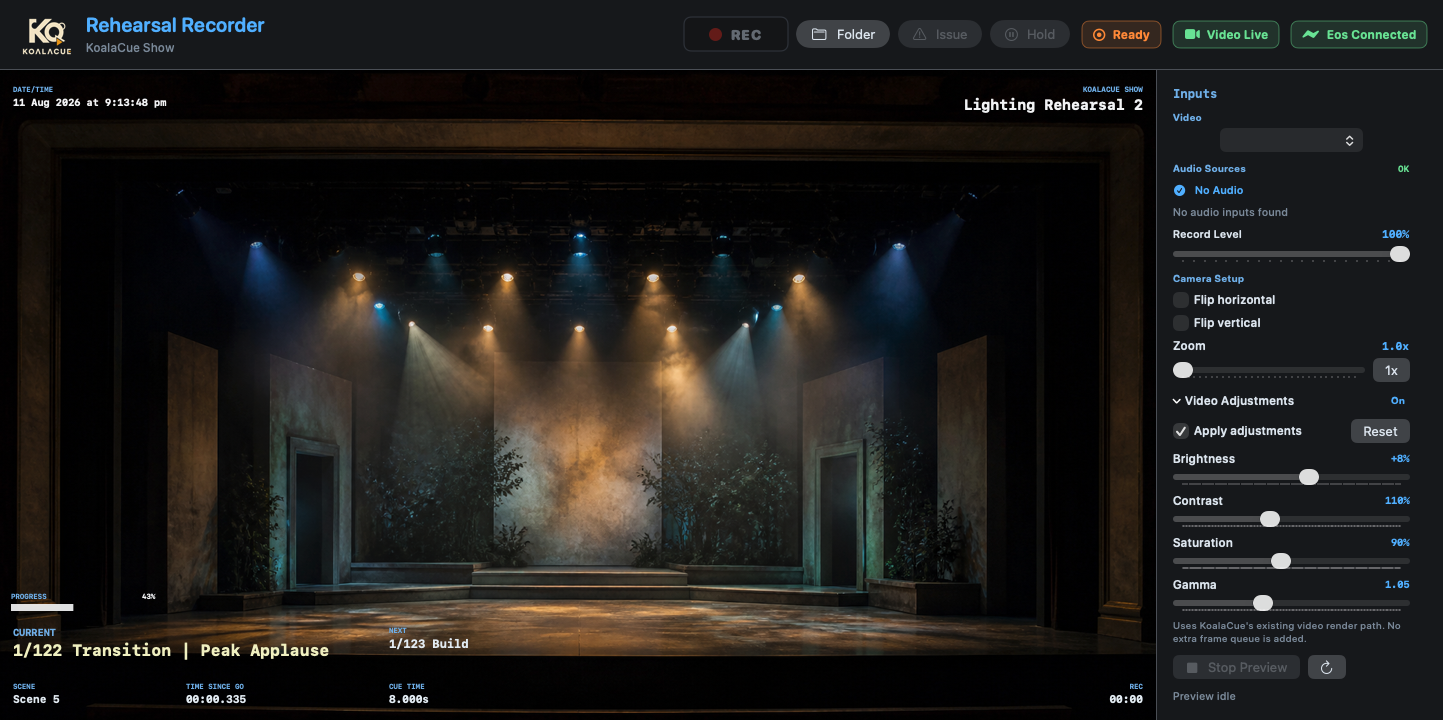

Recorder
Bring one shared camera and selected audio together with live cue changes, notes and markers. Timecode overlays keep everything anchored so reviewing is fast the moment you stop rolling.
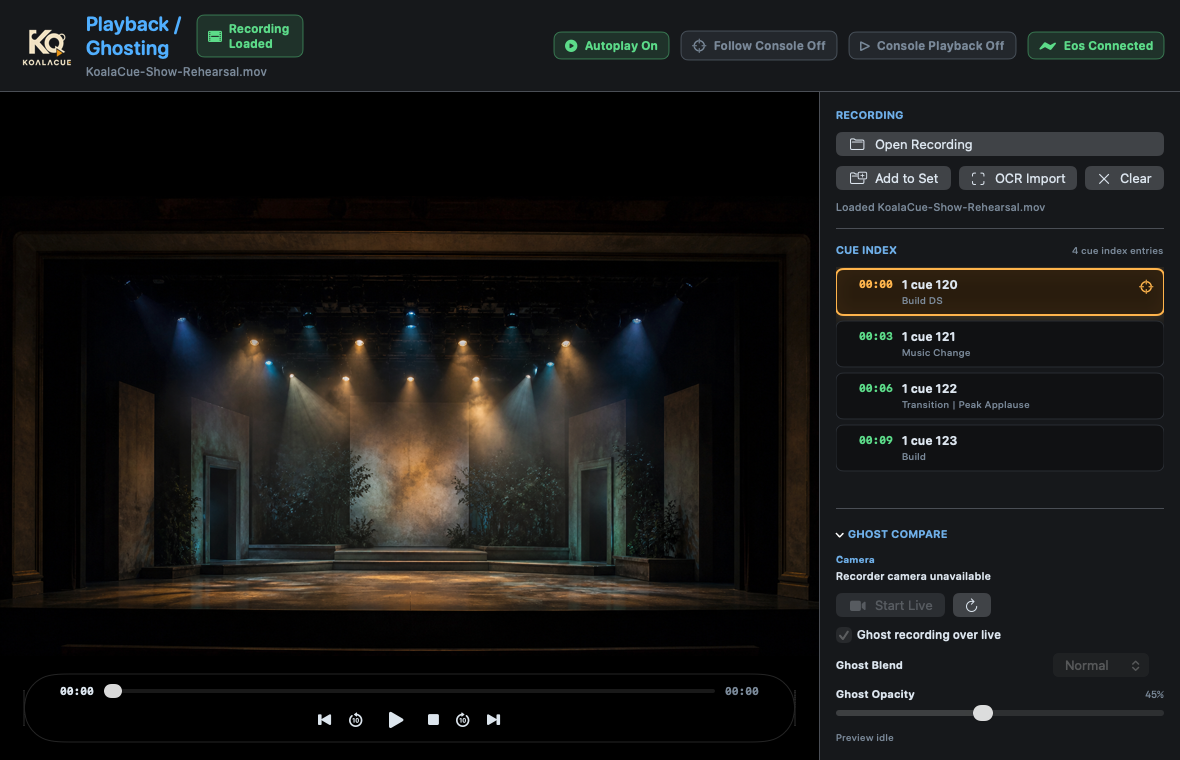

Review
Play back a session with cues, notes and timecode aligned to the recording. Move between moments, revisit tricky sequences, and share findings with lighting, sound and stage management.
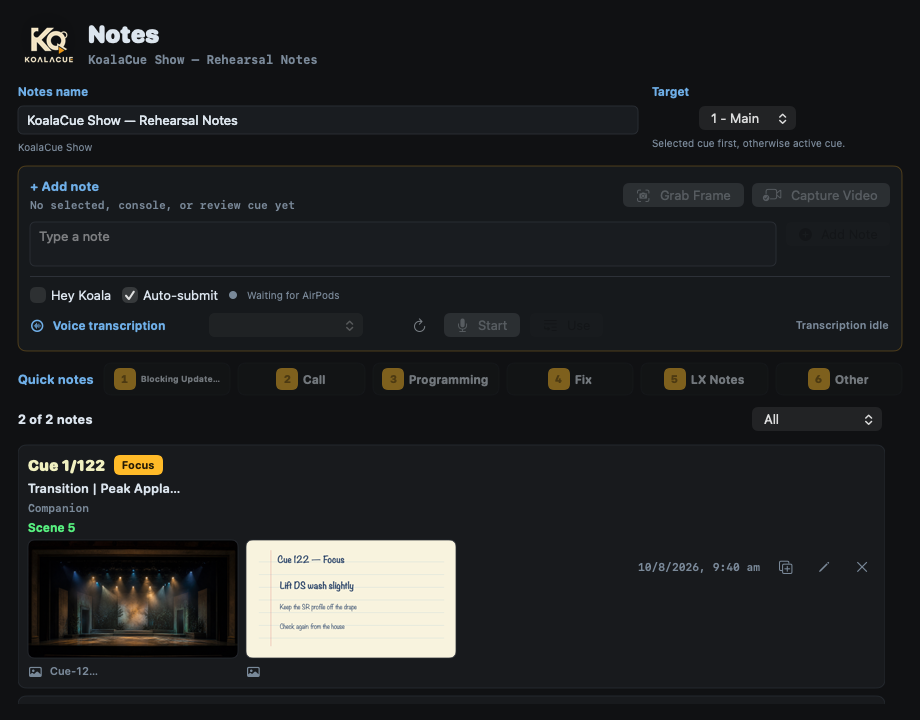

Notes
Capture a thought against the current cue in a keystroke. Notes ride alongside cue labels and timing in guarded workflows so nothing is edited by accident during a show.
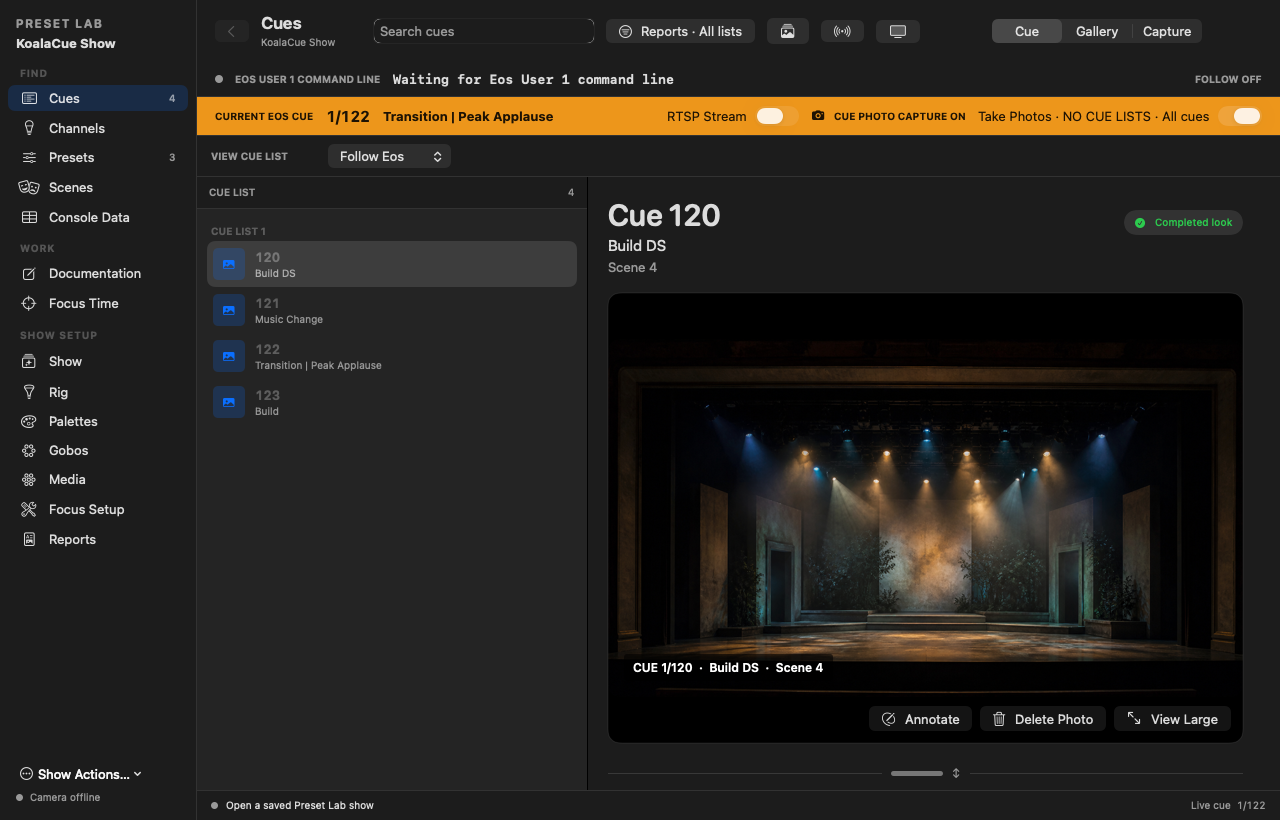
Preset Lab
Organise photographs for cues, channels and presets, and connect them to scenes, set pieces, palettes, gobos and rig information. Keep the whole thing portable in a .koala show package anyone on the team can open.
KoalaCue Companion
Available now on the App Store
KoalaCue Companion is a separate iPhone and iPad app that works alongside KoalaCue for macOS over the same local network. It is not included in the Mac app. Follow the previous, current and next cue from the stalls, and capture tagged, cue-linked Notes without walking back to the Mac. Companion works alongside KoalaCue for macOS — it is not a console and does not replace Eos.

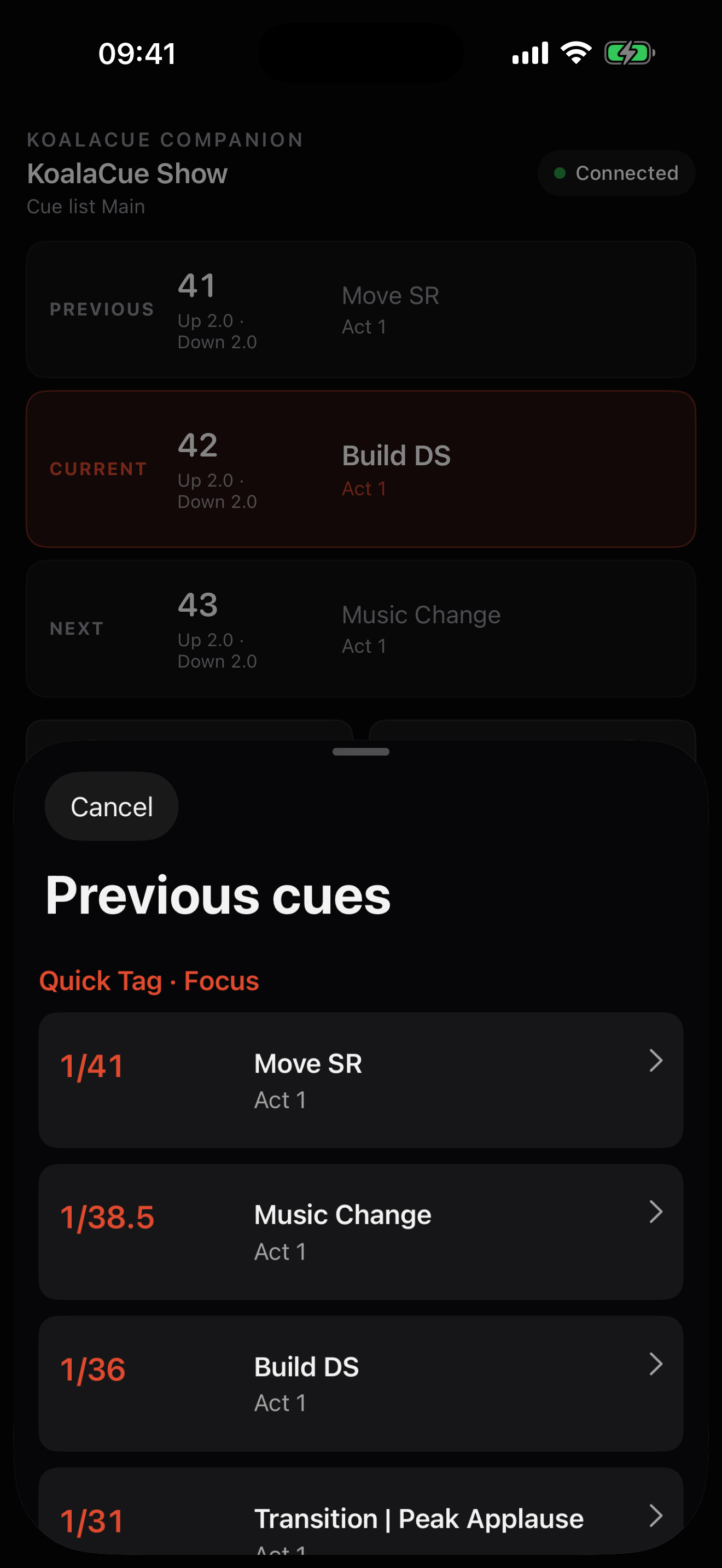
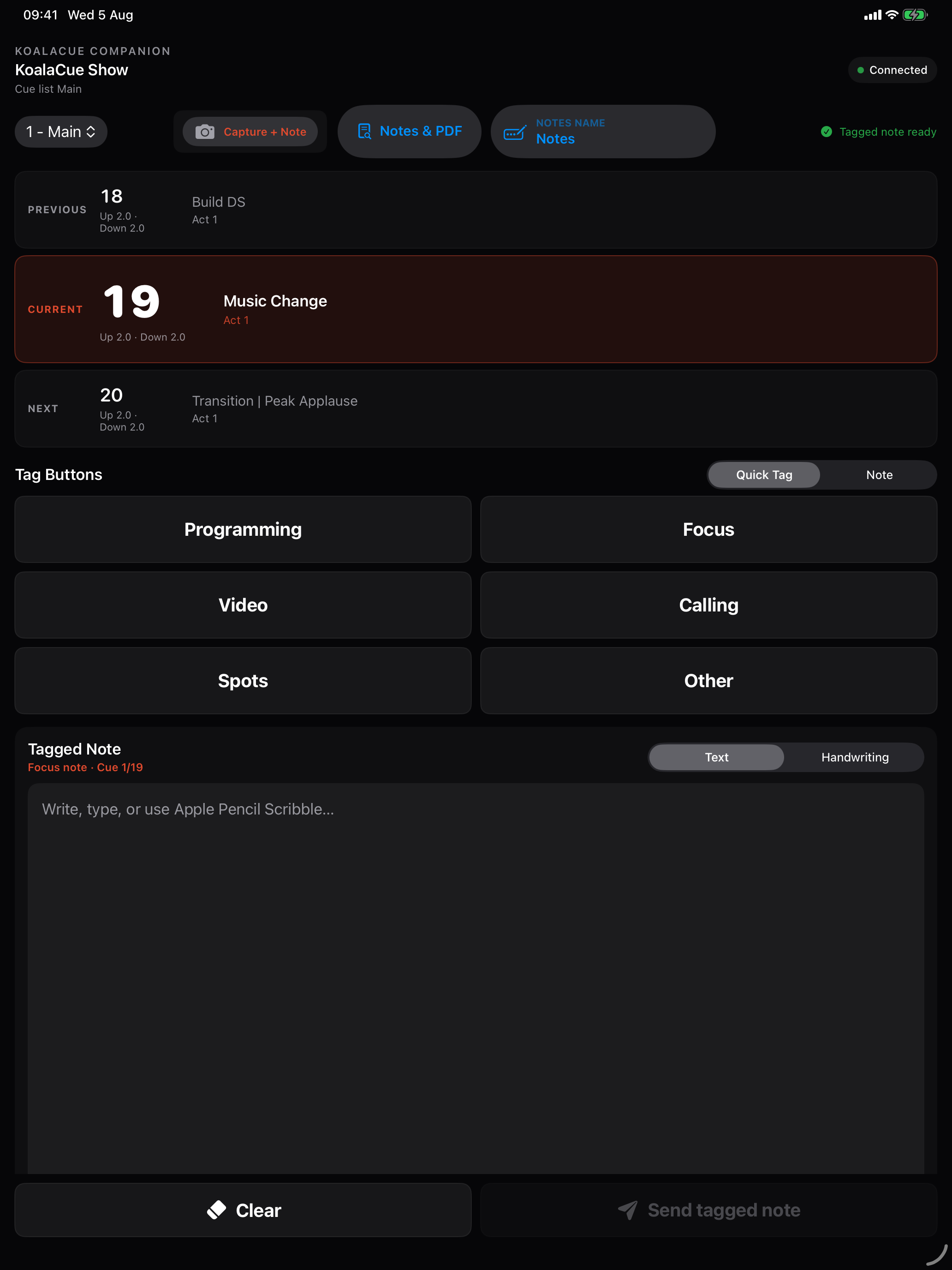
Companion requires KoalaCue for macOS on the same local network. Companion support and pairing steps.
Pricing
KoalaCue for Mac is available now. Prices below are in Australian dollars. Free remains available, and an optional card-free seven-day trial of Full runs inside the app; at the fixed seven-day expiry KoalaCue returns safely to the Free plan and your local show files, recordings, notes and documentation are never deleted, damaged, encrypted or hidden.
Annual is the recommended value option: Recorder saves A$120 per year and Full saves A$200 per year versus 12 monthly payments.
A$0
Cues and view-only Preset Lab.
A$180per year
A$180 per year — A$300 across 12 monthly payments, so A$120 saved annually.
Everything in Free, plus Recorder and Review.
A$400per year
A$400 per year — A$600 across 12 monthly payments, so A$200 saved annually.
Everything, including editable Preset Lab.
Requires an Apple silicon Mac running macOS 26 or later. KoalaCue 1.0 is signed and notarised by Apple.
Paid plans renew automatically at the cadence you choose until cancelled. Tax and the final total are shown at checkout. A paid licence is active on one Mac at a time, and you can move it to a replacement Mac.
Updates
Updates are handled inside KoalaCue on your terms — never mid-cue.
More ways to organise your show, follow Eos and keep notes flowing.
Save Tags with your show, apply them to channels and presets, and use them to filter Focus Setup and Documentation. Clear an individual assignment without deleting the Tag from your show.
See Eos submaster names and levels in a dedicated window. Feedback is read-only by default. With an eligible licence, explicitly enable control for the current app session to adjust levels using vertical faders. Expired trials remain read-only.
Keep writing and scrolling through larger note collections, with a focused editor for manual cue notes.
See clearer connection and reception diagnostics, with more reliable Disguise binding identification and preserved custom OSC addresses.
KoalaCue checks for a new signed release in the background and surfaces it inside the app.
You choose when to update. One click installs the release and relaunches KoalaCue.
Every release is a complete Apple-notarized app, and a manual recovery archive is retained just in case.
FAQ